Give the project one goal.
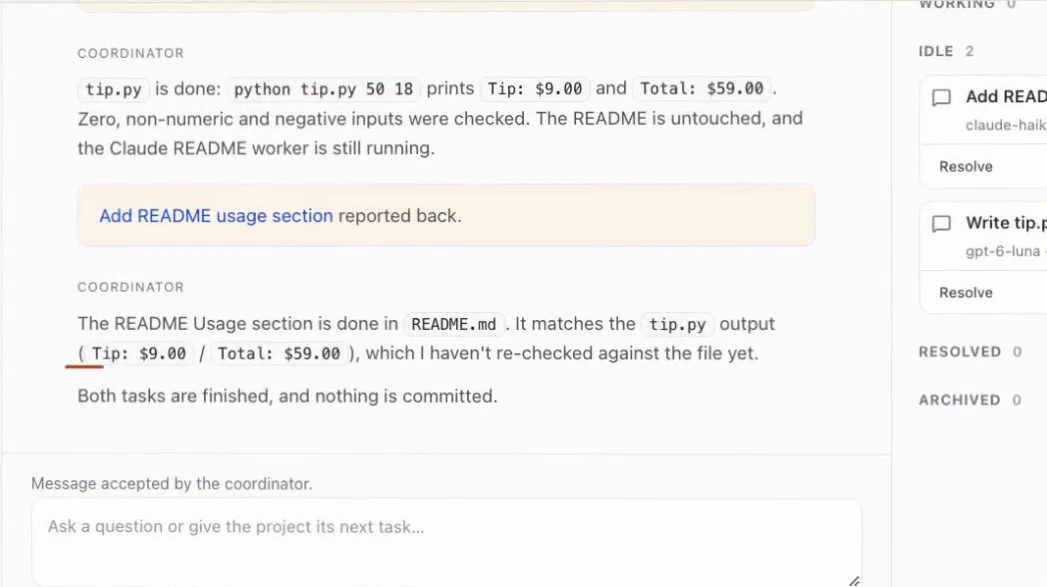
Describe the outcome once. The coordinator keeps the request, context and decisions in one conversation, and you choose the model, effort and approval mode.
 SpecWithCodeFree & open source
One workspace for Claude Code, Codex and the agents you choose. Coordinate the work. Keep your folders, permissions and approvals in your hands.
Cloud models still receive prompts and relevant context through your chosen provider. Local execution does not mean offline AI.
Apple silicon · macOS 13+ · Early access
Not notarized yet: use System Settings → Privacy & Security → Open Anyway on first launch.
Choose the machine.Local or privately paired.
Bring your providers.Keep eligible plans and sign-ins.
Set the boundaries.Folders, tools and approvals.
From one request to reviewed work
A coordinator hands parts of the job to workers on different models, then brings their results back to you. Scroll to follow a real run.
Describe the outcome once. The coordinator keeps the request, context and decisions in one conversation, and you choose the model, effort and approval mode.
It starts a worker thread for each part. Here Codex writes tip.py while Claude Code adds the usage guide. Each thread keeps its own provider, model and permissions on the machine you chose.
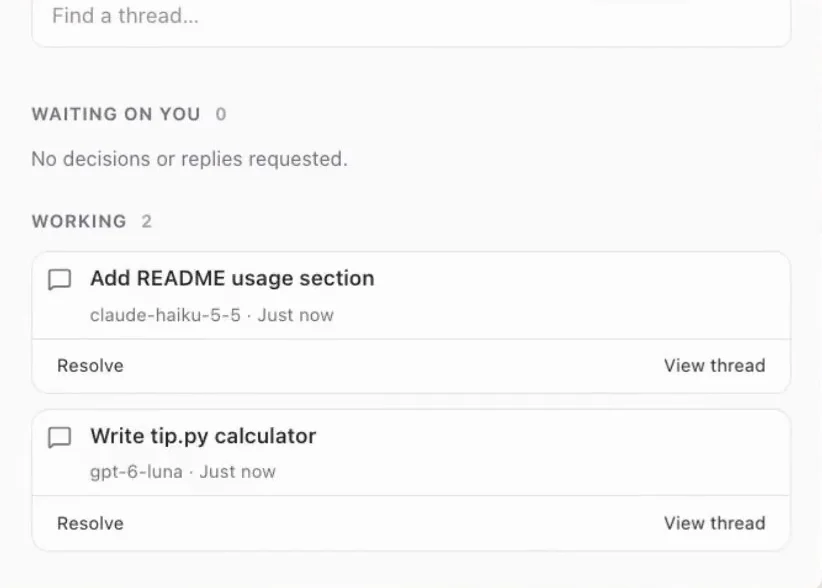
Each worker receives the coordinator’s brief in its own thread. Open any thread to see the commands it ran, the files it changed and the output it got.
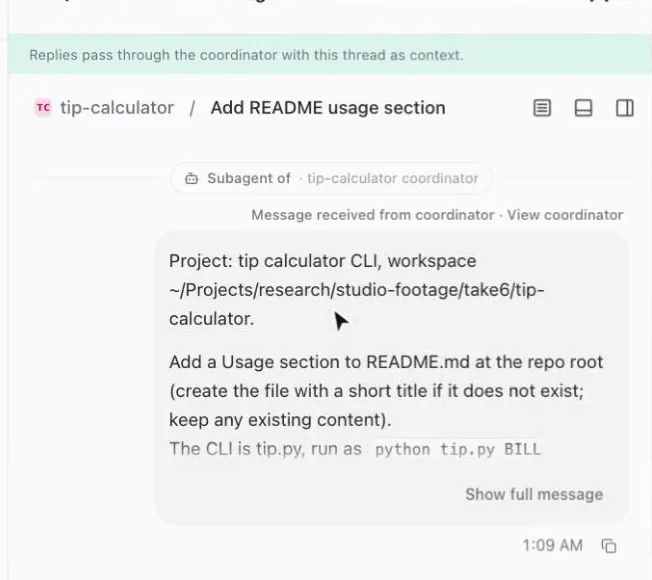
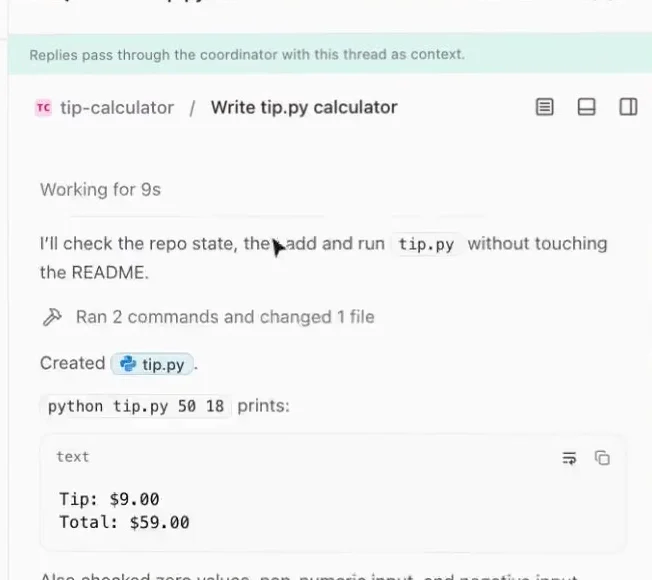
Workers report to the coordinator, which checks each result against the goal and tells you what is left. Review the evidence before you accept anything: a reported result still needs verification.
The animated diagram illustrates the recorded run above; screenshots are actual app captures. Your providers, models and permissions determine what runs.
Make your AI budget go further
API billing meters every token. A flat coding plan, such as a $200-a-month tier, includes a usage allowance for the same kind of agent work. For heavy, sustained coding, the plan can cost a fraction of the same usage billed at API rates.
SpecWithCode puts those plans to work on machines you control: each agent runs where your files are, with the sign-in it already has. How much you save depends on your plan, model, limits and workload, so check it against your own bills.
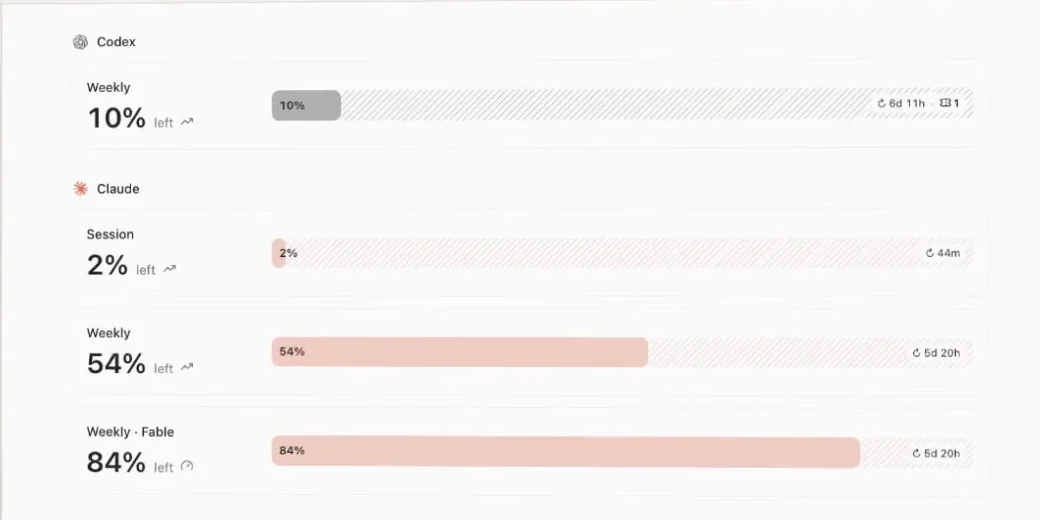
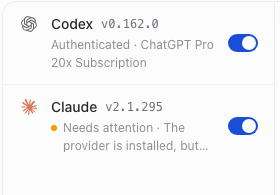
3×the plan price would go to API billing for this usage, if the work fits within the plan’s limits.
Illustrative arithmetic with your own numbers, not a quote or a promised multiplier. Plans have session and weekly limits; extra usage, seat rules and provider terms can change the result. Enterprise plans can bill differently: Anthropic currently lists Enterprise as a seat fee plus API-rate usage. Check current provider pricing.
A workspace that reaches your machines
Pair approved machines over your network, SSH or private HTTPS with Tailscale. Choose where work runs; each machine keeps its own pairing and native account access.
Work continues while the executing machine is awake. Connecting computers does not add subscription entitlement or grant access to an entire company network.
Prompts and relevant context cross this boundary. Provider and integration data policies apply.
See the product doing the work
Follow a coordinator, a Codex thread and a Claude Code thread through a small coding task. The later usage-limit example is simulated.
No. Agent processes and project files live on the selected machine, but cloud models receive prompts and relevant context, which can include code and file contents. Connected tools use their own services. Private machine connections do not make model inference local.
No. Use eligible plans through their supported coding agents. Limits, seat rules and provider terms still apply; API keys or extra usage may create separate charges. Enterprise billing may differ. Measure your own workload before claiming savings.
SpecWithCode running on a supported machine, a reachable private route and separate pairing permission. Tailscale is optional. Start with a small, approved setup before expanding; this page does not promise company-wide scale or universal hardware support.
SpecWithCode is free and open source. You bring your provider accounts and pay any provider charges directly. The SpecWeave CLI keeps specs, task evidence and handoffs in git so another tool can continue the work.
Keep the work on machines you control.