SpecWithCode
SpecWithCode (pronounced Spec with Code) is one interface for the agents that are otherwise spread across many products: projects like Claude Code Projects, a personal agent like OpenAI Dots or Hermes, and the coding agents from Anthropic, OpenAI, xAI, Google, GitHub, Cursor and Meta. It runs no agent loop of its own: it drives each vendor's harness on your own machines, with your sign-ins, coordinates them as one project and gives each job the model that fits it. See harnesses, models and the interface.
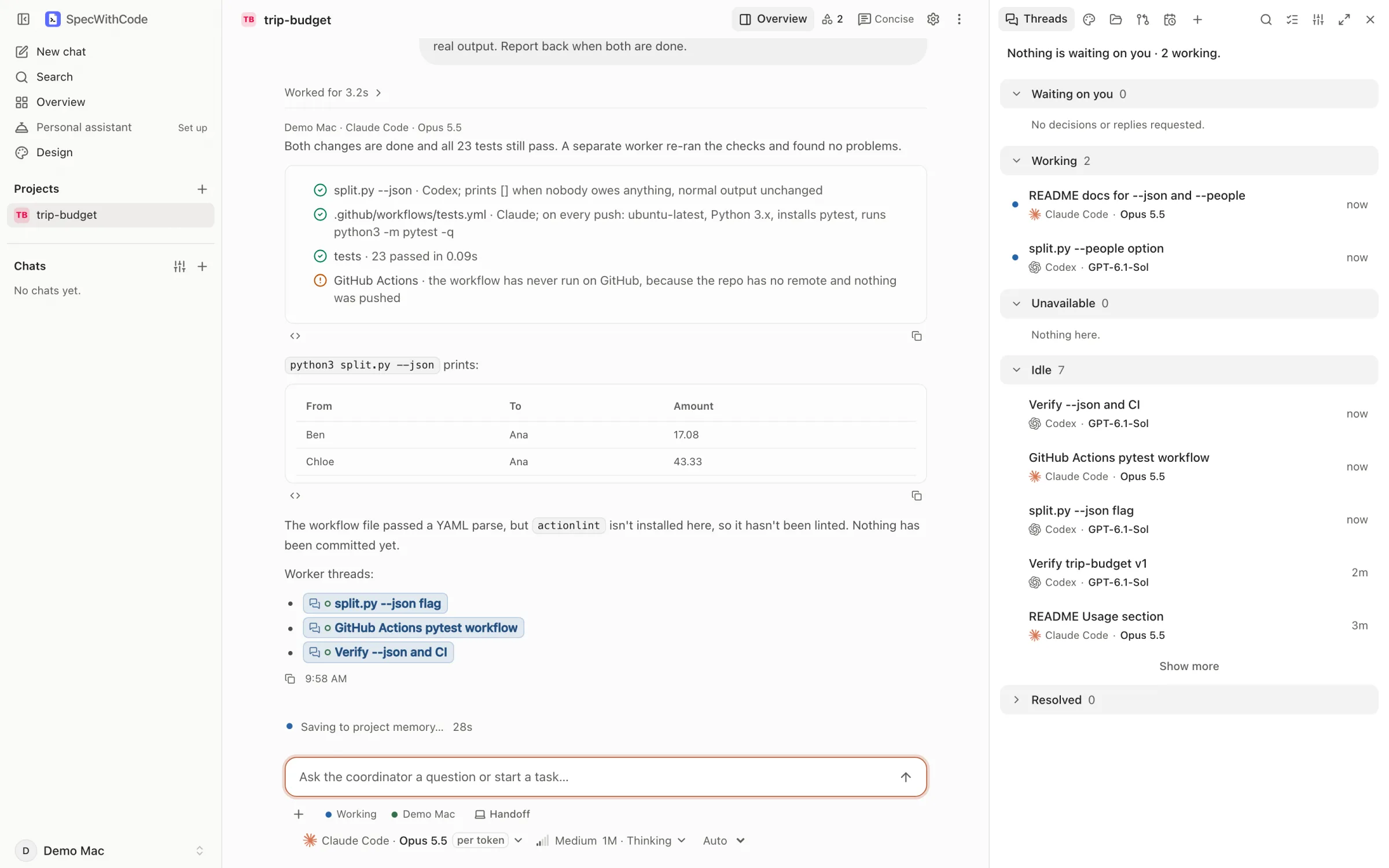
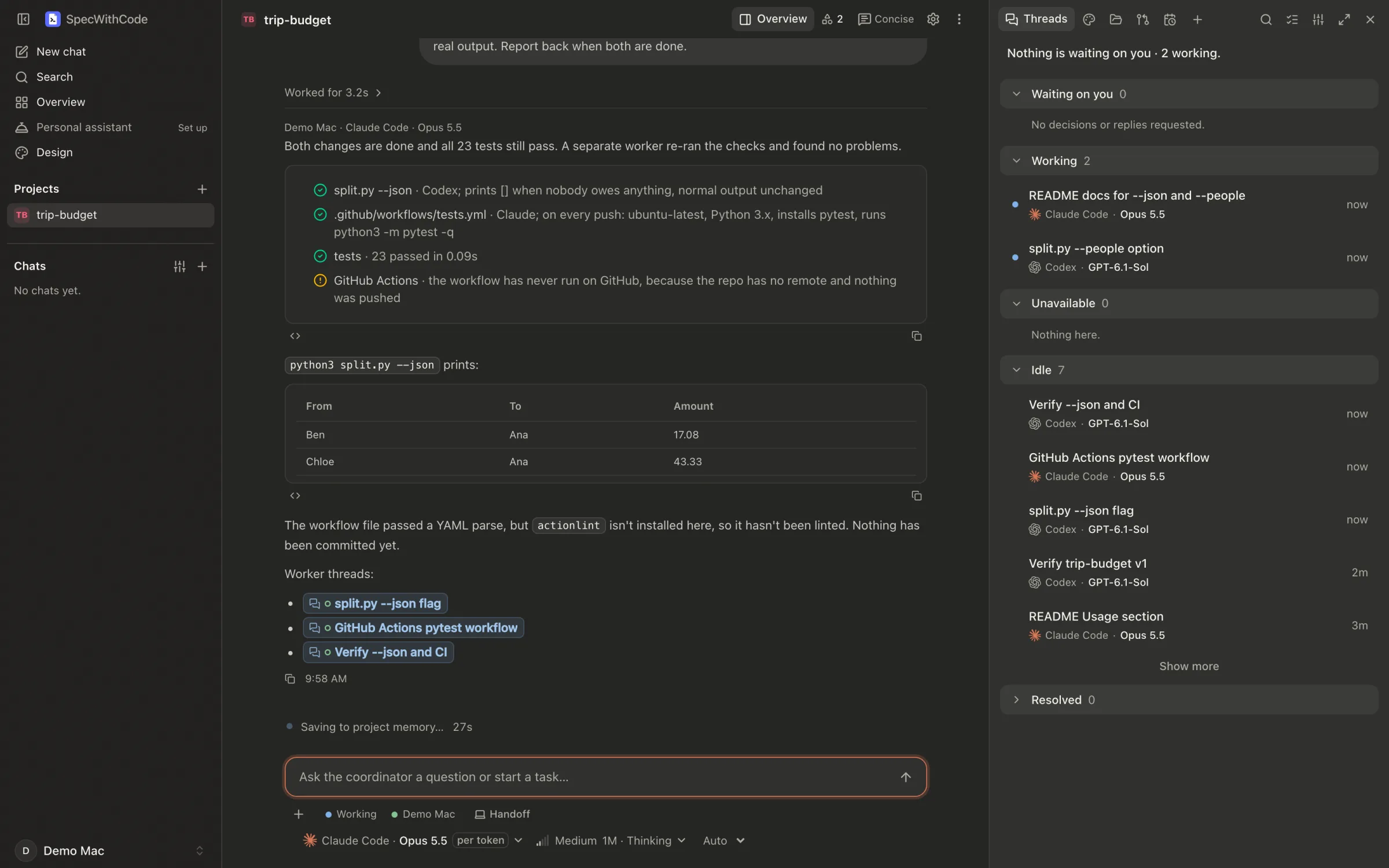
You give a project a goal; a coordinator splits it into tasks and hands them to workers. The coordinator and every worker can use a different coding agent and model: Claude Code, Codex, Cursor, Grok Build, Gemini CLI, GitHub Copilot, OpenCode, Muse Code, Pi, Antigravity, or any agent from the ACP Registry. They run on machines you own, next to your code, skills and accounts.
Underneath, the open-source SpecWeave CLI keeps the spec, the task evidence and the handoff in git. That record is what lets any agent continue work that another one started.
SpecWithCode is free for every developer and team: no markup, no token resale and no seat fee to run agents on your own machines (pricing). It is in early access. Download version 1.0.191 for macOS (Apple silicon), 162 MB, or see all releases. Sessions, machines, approvals, usage limits and projects (coordinator, workers, memory, plans and routines) are all in the current build. The Mac app runs on Apple silicon with macOS 13 or later and is signed with Developer ID and notarized by Apple. Windows 10 and 11 and x64 Linux builds, and the install steps, are on the SpecWithCode download page.
One interface for many agents
Each row is a kind of product you may already use, and the closest thing in SpecWithCode. SpecWithCode does not run those products; it gives you the same kind of agent on your own machines. The status is SpecWithCode's own.
A coordinator, and workers on any model.
One conversation per goal. Each worker picks its own provider and model and runs on the project’s machine, and you can step into any of them.
Personal projects that keep working.
A project with its own folder, memory and plan, scheduled routines, a Telegram channel to its coordinator through your own bot, and an opt-in browser profile with your saved logins.
Limits: Runs while your machine is awake, not in a vendor cloud. Webhook-started tasks need remote access turned on.
Local first, with tools you grant.
Agents run on your machines. Tools come from local MCP servers you approve one tool at a time, and memory is plain files in the project.
Limits: Telegram works with your own bot; WhatsApp and Slack do not yet.
Every lab’s official agent.
SpecWithCode drives each provider’s own agent, so its sign-in, approvals and limits apply. Switch a thread to another provider mid-conversation.
Every account’s limits on one screen.
When a provider runs out, a thread offers another provider, waits for the reset or switches on its own; you set the rule per project. With the optional Switch companion, a capacity policy drafts new work on a fresh account.
Spec, evidence and handoff in git.
The open-source SpecWeave CLI keeps it, and any tool continues with specweave pickup.
Other products as described on their public pages and in launch coverage, October 2026; they change quickly. Status is SpecWithCode’s own: In the app means it is in the current build.
SpecWithCode is not a cloud service, so a personal project works while the machine running it is awake. You can message a project’s coordinator from Telegram through your own bot (not WhatsApp or Slack yet), an optional Google sign-in gives its agents read-only Gmail, Calendar and Drive, and it does not connect to remote OAuth MCP servers.
What a project holds
| Part | What it does |
|---|---|
| Coordinator | One long conversation per project. It plans, assigns tasks to workers, reviews what they report and asks you when a decision is yours. |
| Workers | Native sessions, each with its own harness, model, machine and worktree. You can open any worker and steer it directly. |
| Memory and settings | Per-project memory and instructions. A decision you give the coordinator reaches every new worker. |
| Plan (optional) | Spec, acceptance criteria, tasks, assignments and evidence. It can be a native SpecWithCode plan or read an existing SpecWeave increment. Reported done and Verified are separate: a task is verified only when its saved check runs and passes. |
| Folders and repositories | A main folder on a machine, extra folders you approve, and several repository URLs. SpecWithCode clones only when you ask it to, using that machine's own Git sign-in. |
| Connections | Local MCP servers per project. SpecWithCode discovers their tools and you grant each tool explicitly. The Connections library compares what Codex and Claude Code have declared on each machine. |
| Routines | Scheduled work that runs inside the project. |
| Personal projects | A project with its own working folder and no Git, for research, notes and everyday tasks. |
Pausing and archiving a project are reversible. Deleting one removes its memory, plans and routines but keeps your source folders and remote branches.
How it differs from cloud project agents
| Topic | Cloud project agents | SpecWithCode |
|---|---|---|
| Where work runs | A cloud container per thread, with a bridge to your computer in some products. | On machines you own: this computer, plus the Macs and Linux machines you add over SpecWithCode Connect. |
| Models | One vendor’s models. | Claude Code, Codex, Grok Build, Cursor, OpenCode, Copilot and more. The coordinator and each worker choose their own. |
| Your skills and folders | Upload skills to the account or a repository. Neighbouring local folders are out of reach. | The agent runs on your machine with its provider’s local configuration, so local skills, MCP servers and folders you approve are within reach. |
| When a limit hits | Wait for the reset or change plans. | By default the thread offers to continue on another provider, carrying the recent conversation over; per project you can have it wait and resume on the same account, or switch on its own. Or hand off to another tool with SpecWeave. |
| The record | Inside the vendor’s project. | Specs, task evidence and handoffs in git, readable by any tool. |
| Laptop closed | Keeps running in the cloud. | Runs while the executing machine is awake, so a desktop or Mac mini can carry work while your laptop sleeps. |
Cloud project agents include Claude Code Projects, OpenAI Dots and xAI Grok Bot. Compared from their public documentation in October 2026; these products change quickly.
The trade-off is simple. Cloud project agents keep running when every one of your machines is off, and they need no setup. SpecWithCode needs the machine that does the work to be awake, and in return it uses your local skills and folders, your existing subscriptions from several vendors, and a record that is not locked inside one product.
Machines and networking
SpecWithCode runs as a small service on each machine, at localhost:8319. You use it from a desktop app for macOS 13 or later on Apple silicon, Windows 10 and 11 (x64 or arm64), or Linux (x64 or arm64), or from a paired browser. Intel Macs are not supported. See downloads and platform-specific installation steps.
- One machine needs nothing else.
- More machines for workers. On the new machine, link it to SpecWithCode Connect (only the worker needs Connect), then make an invitation line under Settings > Connections > Your private machines > Invite this machine (or
specwithcode fleet invite). Paste it under Add a machine on your main machine and allow workers on its card. Coordinators can then start workers there. See Add a machine. - A Linux server or VPS on x64 or arm64 runs the same server from the release's Linux archive, as a systemd user service. See Linux worker.
- Opening a machine from a browser or a phone goes through Connect, the hosted relay, by default: sign in on the other device with the same account (3 machines free). Local network pairing and an SSH tunnel the desktop app opens also work, and Tailscale Serve is an optional direct route. SpecWithCode never uses Tailscale Funnel, which would make it public.
We recommend one machine per AI-provider subscription: each machine stays signed in to one account per provider for good, and you add machines for more capacity instead of switching accounts by hand.
Being reachable is not permission. Every machine and every browser is paired with SpecWithCode separately, and native sign-ins for Claude Code, Codex and the others stay on the machine that owns them. See the architecture and its boundaries.
Usage limits and handoff
SpecWithCode reads the limits of every account on each machine and shows them under Usage > Limits, one pooled number per provider and window, with each account's share and reset time. When you start new work, a capacity policy (Balanced, Reset first or Spend first) picks an eligible account on that machine.
When a thread hits a limit, the project's When a provider runs out rule decides:
| Rule | What happens |
|---|---|
| Switch automatically (default) | The turn continues on the fallback harness and model, in the same worktree, without asking. |
| Offer the fallback | The banner offers Continue with the fallback; nothing switches by itself. |
| Wait for the reset | The banner keeps its resume actions only. |
The banner also offers Auto-continue when the limit resets, Continue on another machine of the project that has room on a different account, and, from 1.0.43, continuing on API credits in one click. Codex and Claude accounts with banked reset credits show Use reset in their account details. A Claude instance billed per token is never picked as the fallback on its own, because its turns cost money.
Moving work outside SpecWithCode is a SpecWeave handoff: the spec, ledger and work in progress are committed, and the next agent, in SpecWithCode or anywhere else, runs specweave pickup. Between turns, automatic checkpoints keep a local recovery point. The Status page shows whether a failure is the provider's, GitHub's, your network's or the app's.
Optional pieces
| Piece | Do you need it? | What it is for |
|---|---|---|
| Tailscale | No. Connect is the default route | An optional direct route between machines on your tailnet. SpecWithCode pairing is still required. |
| CLIProxyAPI | No | If you already run a CLIProxyAPI hub, SpecWithCode can show its Codex accounts' limits and redeem Codex reset credits. Claude accounts in a hub are skipped. Native sessions never pass through it. Keep the hub on loopback: its management key reaches every pooled account. Check each provider's terms before pooling subscriptions. |
| AnyModel | No | An adapter for API and local models that a native agent does not support. |
| Switch | Optional, installed separately from SpecWeave’s contrib/subscription-switch | Reads account sign-in and limit observations on each machine for the capacity policy. |
More you can do
- Finish a thread with a branch, a pull request, or a pull request that merges itself once checks pass.
- Let agents use your Mac with computer use, and the web with the in-app browser or the SpecWithCode Browser extension.
- Talk to a coordinator with voice calls, with speech recognized on the Mac.
Questions
Will my local skills work? Yes, on the machine where the agent runs. SpecWithCode starts that harness there with its own configuration, so the skills, MCP servers and settings you set up for it apply. Skills belong to a harness: a Claude Code skill does not appear in Codex until you add it there too. A skill on another machine has to be installed on that machine too.
Is my code sent anywhere new? No. Folders, sessions and project data stay on the machine. Telemetry is off by default, and Connect, the hosted relay, is used only after you sign in to it. The desktop app checks GitHub for new releases and installs them by default, which you can turn off in Settings. Model calls go to the providers you choose, as they would from your terminal.
Is SpecWithCode the same as Skill Studio? No. npx vskill studio opens Skill Studio, which develops and evaluates skills.